Free
$0Forever
- Up to 3 subscriptions
- One currency
- Daily weather, Today, Calendar and Summary
- Reminders one day before and on the day
- iCloud, backups and CSV export
- Next charge widget and Siri
Nubi turns each day's charges into weather. Your whole month at a glance, with no scolding.
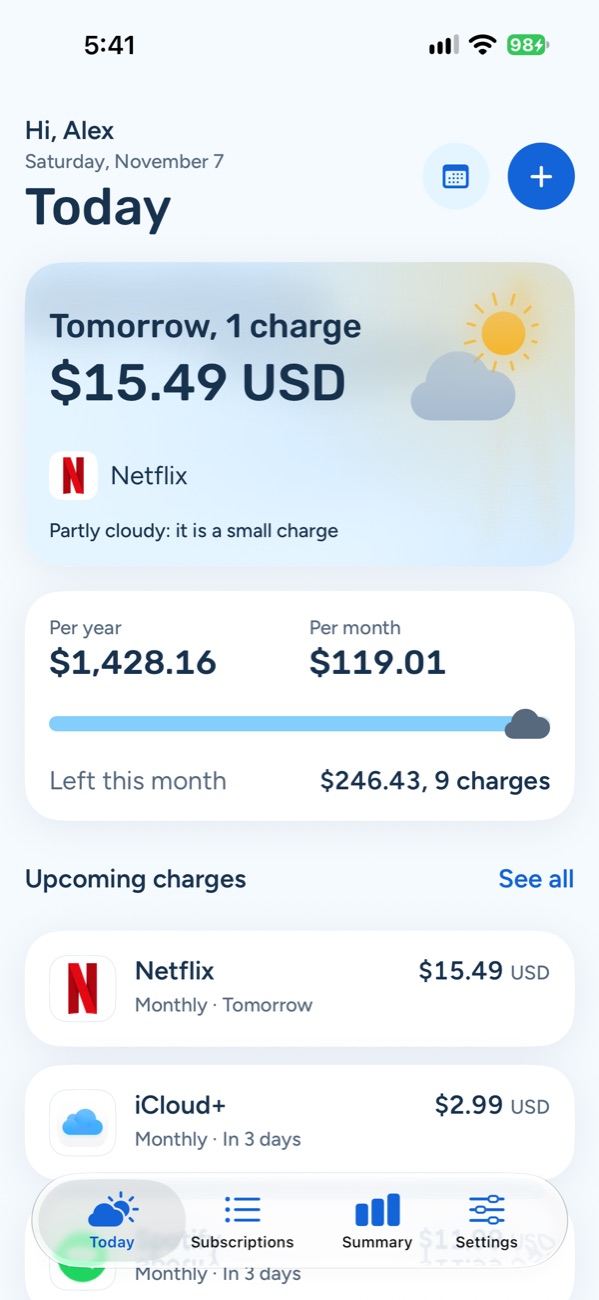
$15.49 USD
Cloudy: a medium charge for your spending
Change the example's weather
The weather comes from your own charges, compared with what you pay each month. It's worked out on your iPhone and sits next to the numbers, never instead of them.
No charges that day.
A single charge below 15% of what you pay each month.
Two or more charges, or a total from 15%.
Four or more charges, or a total from 30%.
A yearly renewal, or a total from 50%.
A free trial ends and the charges begin.
The first charge at a higher price.
A charge was due, but the subscription is paused.
Last day of access to something you cancelled.
With fewer than three subscriptions in a currency there are no percentages: only the number of charges and yearly renewals count.
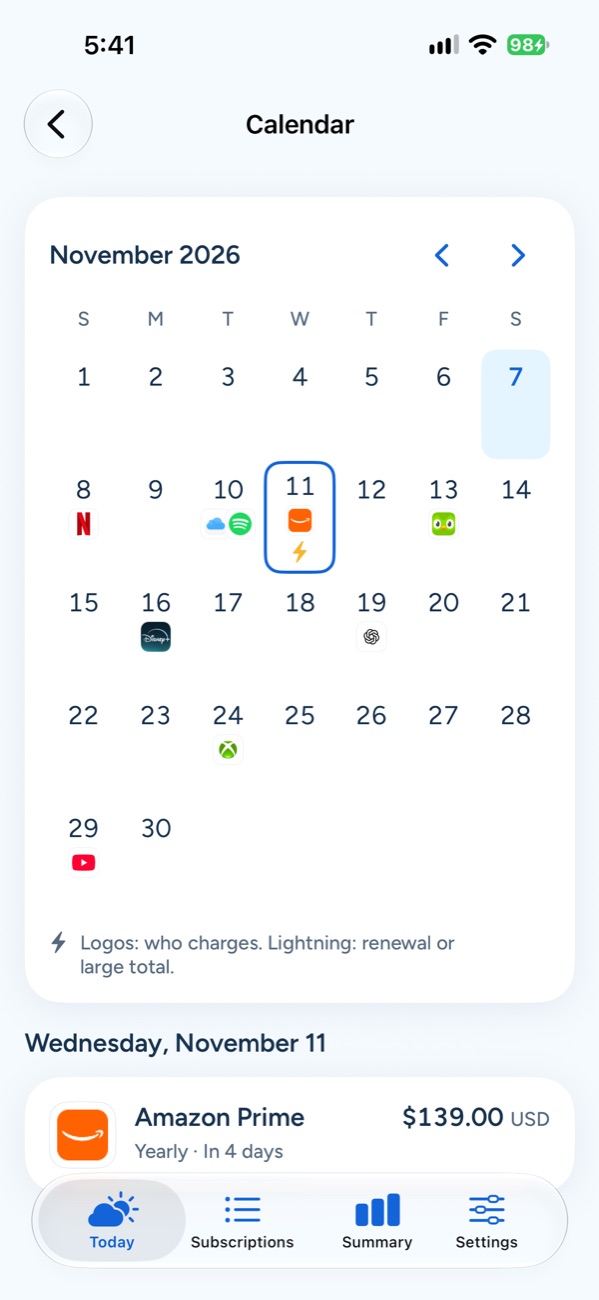
Today, Calendar, Subscriptions and Summary. Four screens to know what's coming, what it adds up to and when to cancel.
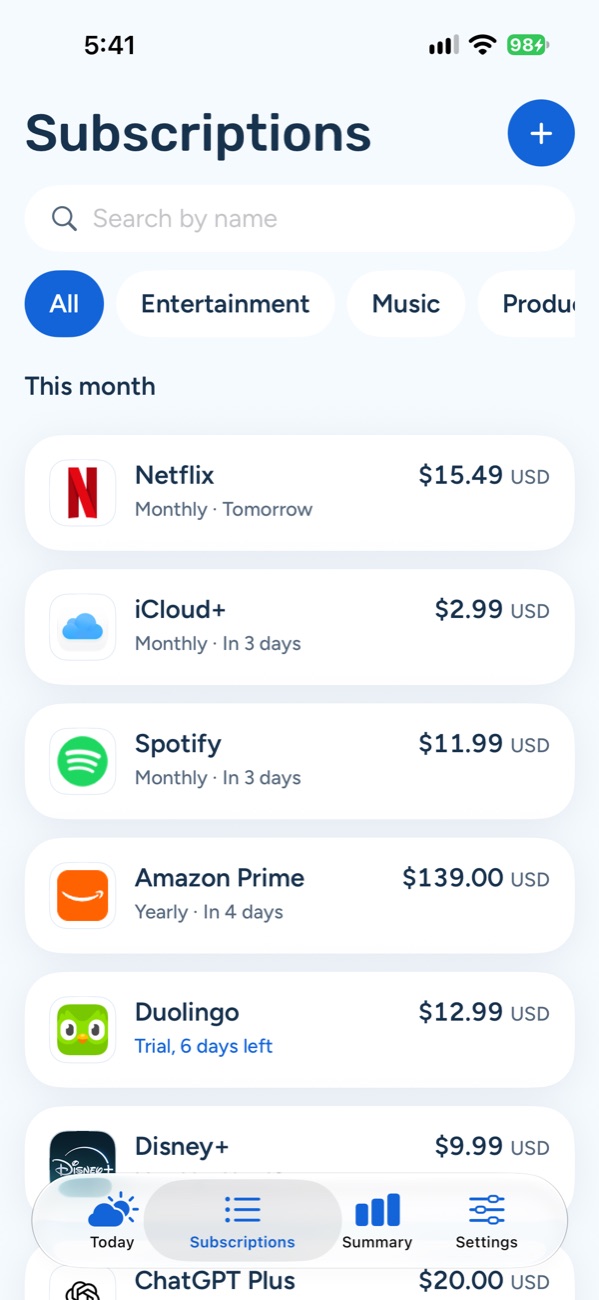
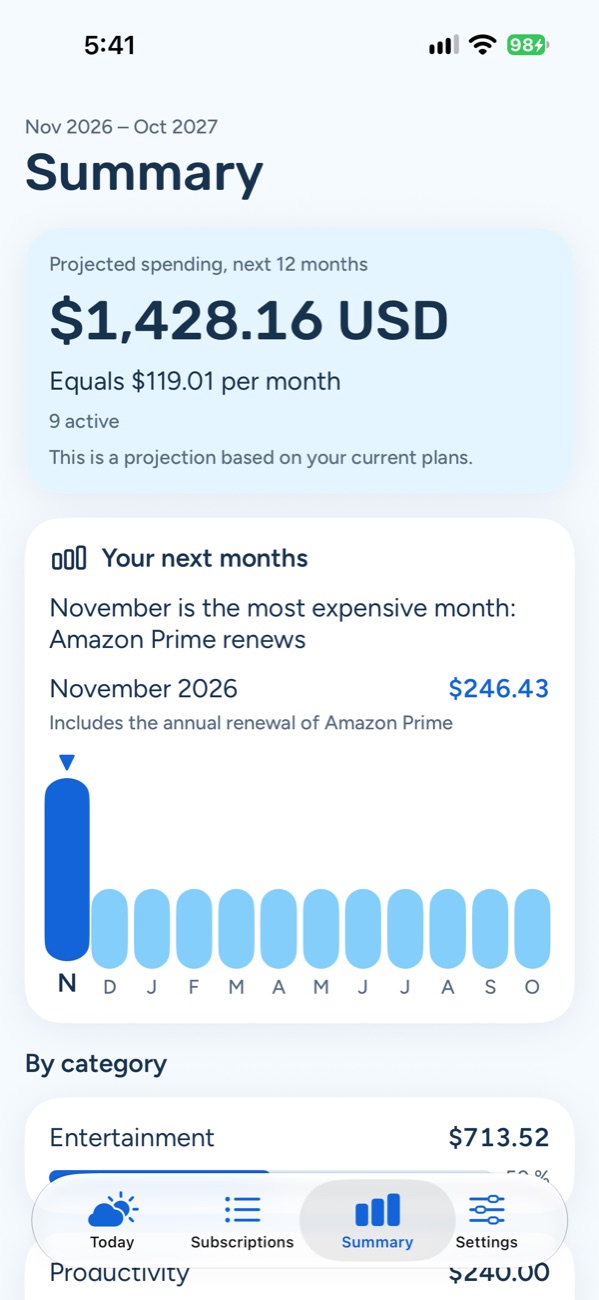
What you pay each month, each year and by category. With Pro, a 12-month chart and price history.
One day before and on the day. With Pro, three days before too, plus a review before every yearly renewal.
Nubi remembers when a paused charge comes back and how long you keep access after cancelling.
Pesos, dollars or euros, converted to your main currency with daily exchange rates.
From text, a CSV sheet or up to 10 screenshots, read on your iPhone.
Your next charge on the Home and Lock Screen. Ask Siri how much you pay each month.
Nubi doesn't want to be one more subscription. Pro is paid once and yours for good.
$0Forever
$249MXNOne-time purchase, for life
Rather support Nubi every year?
Nubi Support is $199 MXN a year and gives you exactly the same as Pro.
Prices shown for Mexico. In other countries the App Store shows your local price. If you lose Pro, nothing is deleted.
No sign-up, email or password. Open Nubi and start.
Nubi has no servers of its own and can't read your subscriptions.
Only anonymous errors and usage, with no IP or profile. Turn them off in Settings.
Up to 3 subscriptions in one currency, the weather, Today, Calendar and Summary, reminders one day before and on the day, iCloud, backups, CSV export, the Next charge widget and Siri. Archived subscriptions don't count toward the limit.
Unlimited subscriptions, multiple currencies converted to your main one, reminders three days before and custom ones, a review before every yearly renewal, the 12-month chart, price history, importing from text, CSV and screenshots, and every widget. It's $249 MXN once, and yours for good.
There's nothing to do: Nubi syncs on its own with every device using the same iCloud account. In Settings › Sync you'll see “On with iCloud” or “Only on this device”. iCloud is free for everyone.
No. Nubi reminds you and helps you decide, but cancelling happens with the service you subscribed to. Afterwards, mark the subscription as cancelled so Nubi remembers how long you keep access.
Add your subscriptions and Nubi tells you which days look cloudy.